Features

Everything between your app and the people who use it

Talk to people, send them the right message at the right moment, and see what it did. These are real screens from PurrCRM, with demo data.

Talk

Conversations and answers: the shared inbox and the help center.

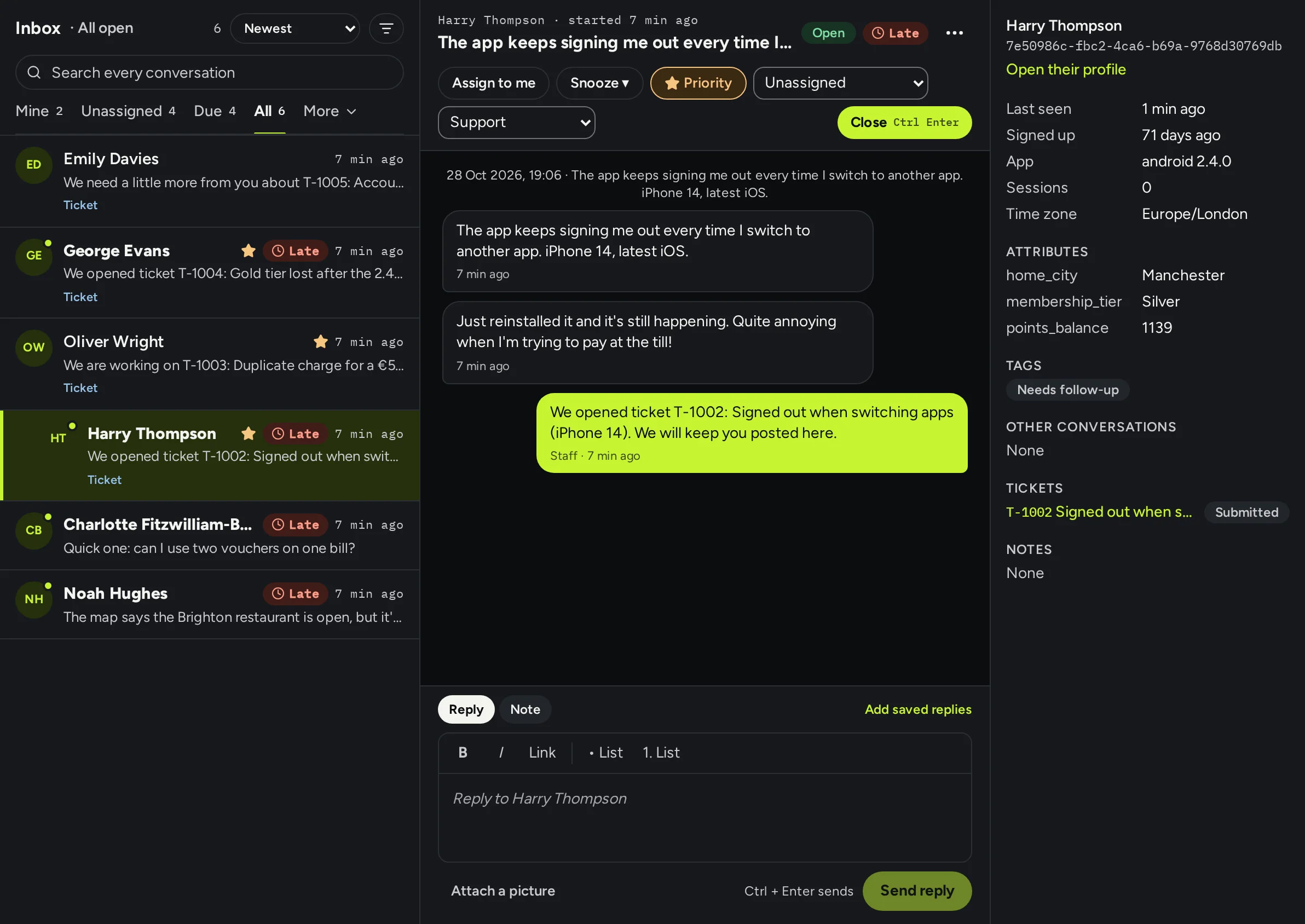
One inbox for every conversation

People write from the messenger in your app. Your team answers in one shared inbox, with the person's details beside each conversation.

  • Teams, assignment, office hours and reply targets that mark late conversations
  • Notes and mentions only your team sees, saved replies, snooze and priority
  • Tickets for anything that needs follow-up, which people track in their messenger
  • A rating when a conversation closes, and replies by email when they're not in the app
Read how in the docs: One inbox for every conversation
A conversation in the inbox: the person's messages and the team's replies, with their details, attributes and open ticket in a panel on the right.

A help center in the app and on the web

Write articles once. People read and search them in your app's messenger, and public ones are on the web too.

  • Collections, featured articles, and who may read each one
  • “Did this help?” on every article, and the searches that found nothing
  • Every article in each of your app's languages
Read how in the docs: A help center in the app and on the web
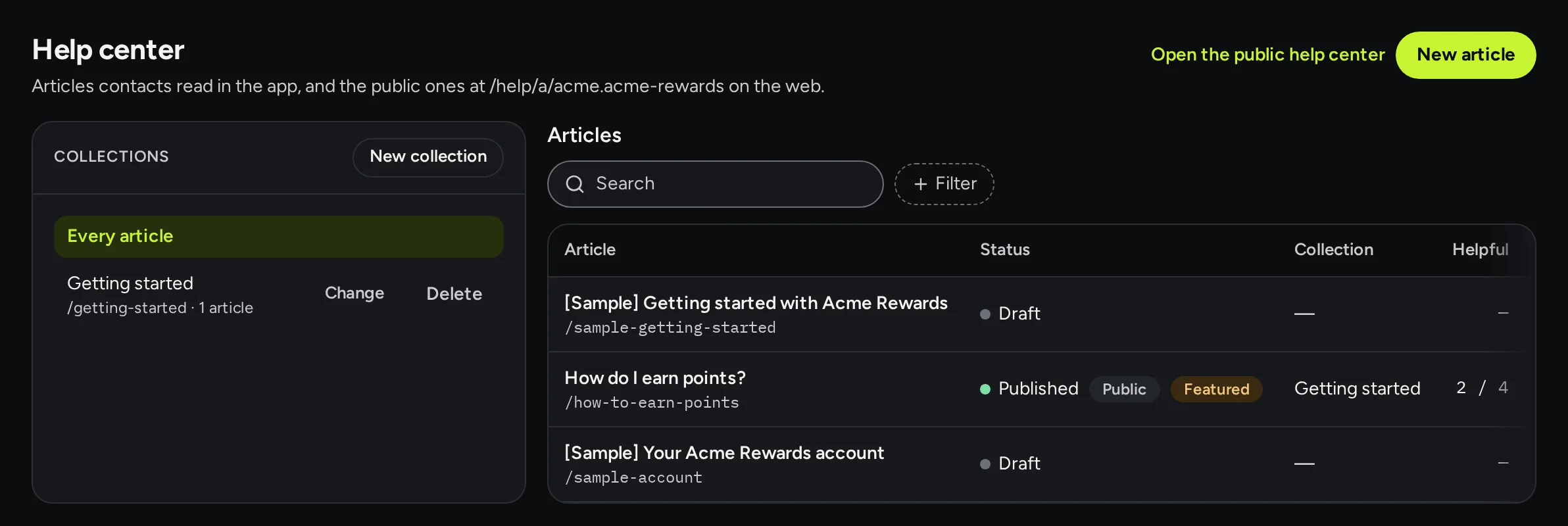
The help center: collections on the left and a list of articles with their status, collection and how many found them helpful.

Send

Messages in the app, by push and by email, to the people you choose.

In-app messages and carousels

Banners, posts and carousels appear over your app's own screens on iOS, Android and the web, in your app's own look, without changing your layout.

  • Banners, posts in a sheet, and carousels that can branch on answers
  • Show a message on some screens only, or open it from a link
  • Personalise with any attribute, with a fallback for people you don't know yet
  • Preview it on your own phone before it goes live
Read how in the docs: In-app messages and carousels
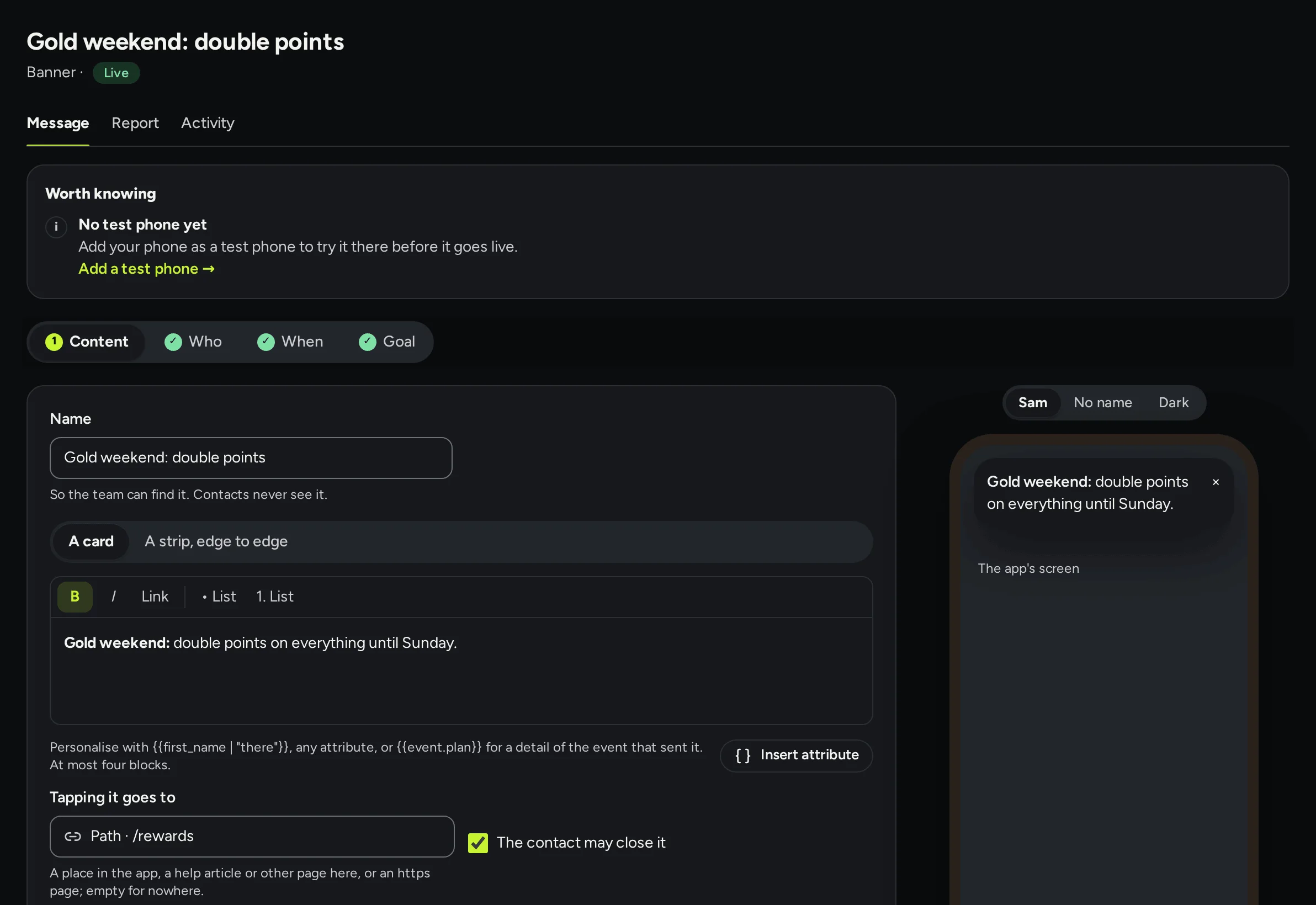
A live banner, Gold weekend: double points, in the editor: its words and where tapping it goes, with the banner on a phone preview on the right.

Push notifications

Pushes go through your app's own Firebase key, at a time you choose or when someone does something.

  • Who gets it, when, and the goal it is for, set in four steps
  • Quiet hours, and a cap on how much marketing one person gets
  • Tapping it opens the right place in your app
Read how in the docs: Push notifications
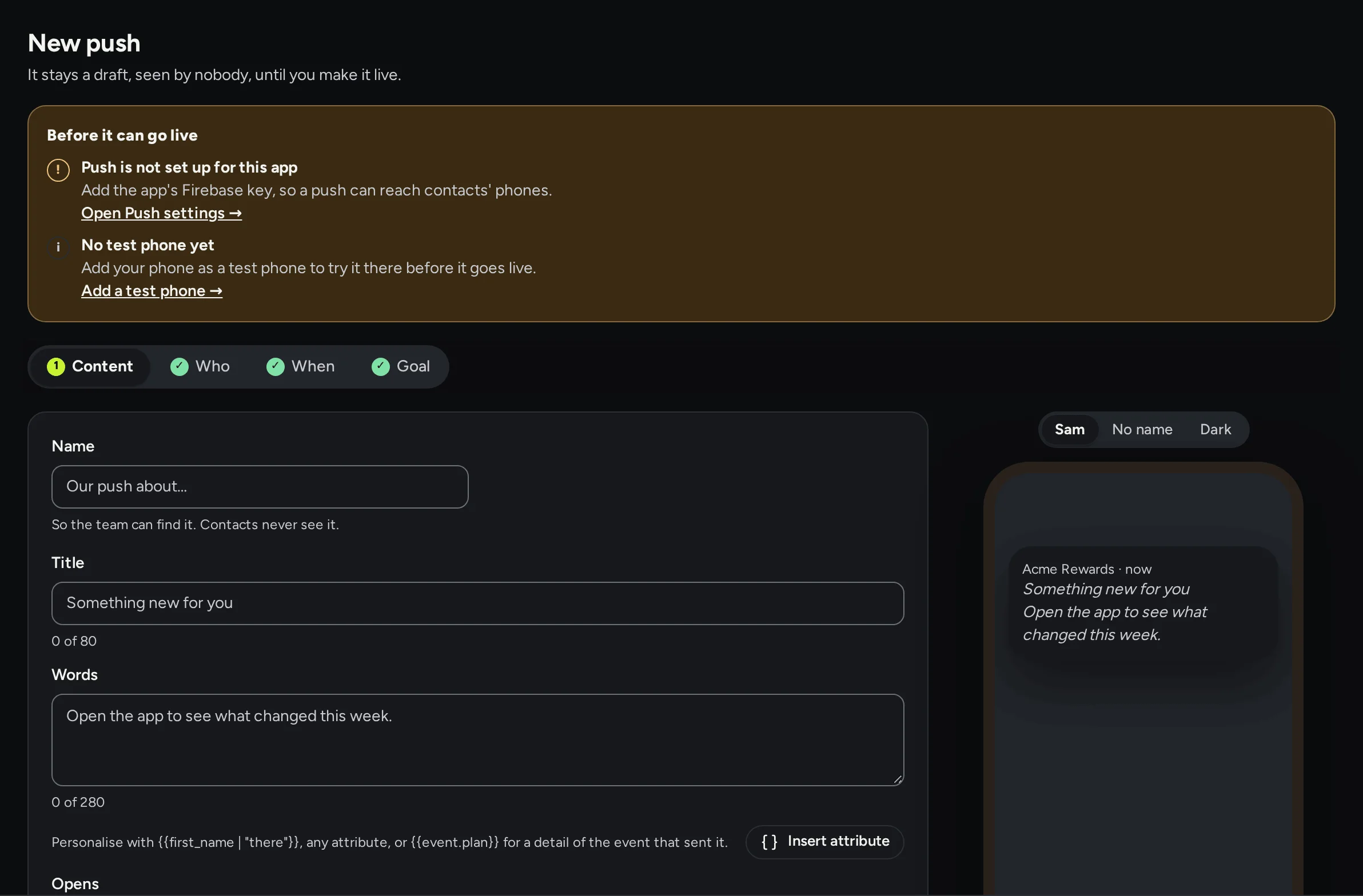
The editor for a new push: its title and words, a checklist of what is left before it can go live, and a preview of the notification.

Email from your own domain

Add a sending domain, copy its DKIM, SPF and DMARC records to your DNS, and press Verify. Email then goes from your address, signed so inboxes trust it.

  • One layout with your logo, colours and postal address for every email
  • Unsubscribe links and a preference centre, kept for you
  • Bounces and complaints tracked, and replies landing back in the inbox
Read how in the docs: Email from your own domain
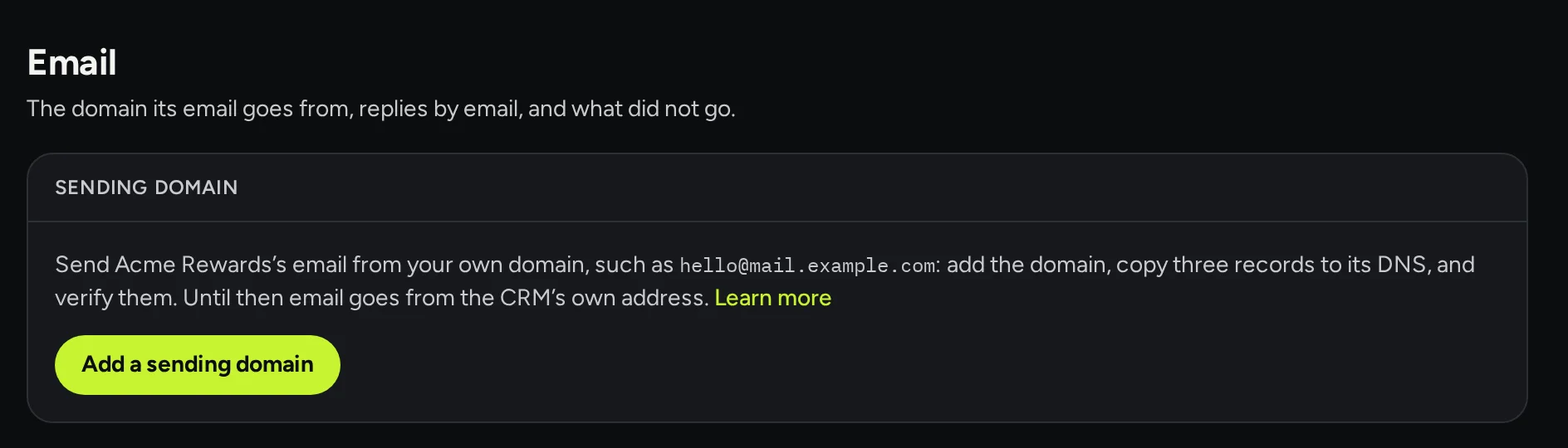
The email settings: send the app's email from your own domain by adding it, copying three records to its DNS and verifying them.

Surveys and A/B tests

Ask one question or several inside your app, and test versions of any message against each other.

  • Ratings, NPS, choices or free text, required or not, kept one answer at a time
  • A/B tests on in-app messages, pushes, emails and chats, with a control group
  • A winner picked by goal or click rate, at the end of the test or once one is clearly ahead
Read how in the docs: Surveys and A/B tests
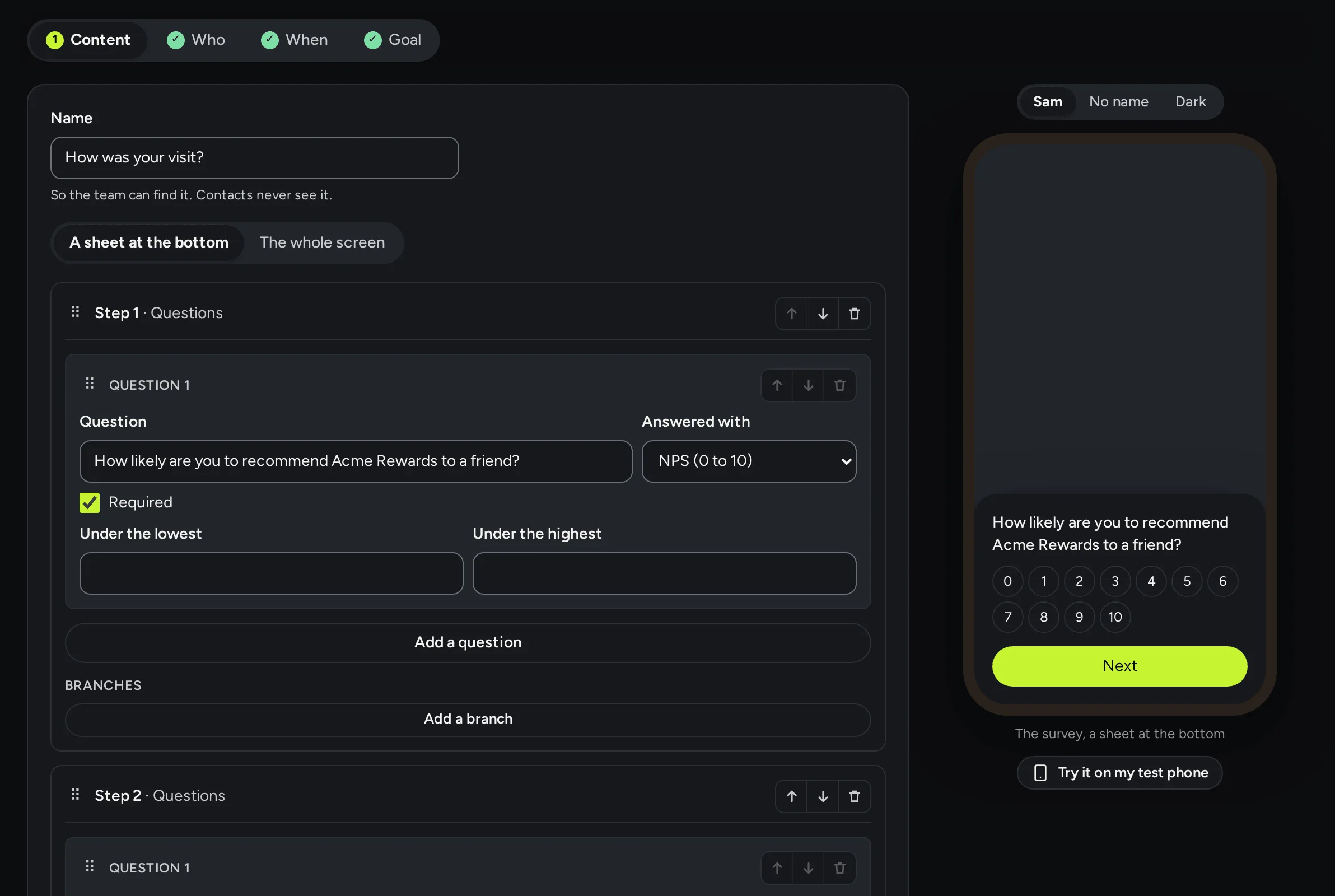
The survey How was your visit? in the editor: a question answered with NPS from 0 to 10, and a preview of it in a sheet on a phone.

Segments that keep themselves up to date

Save a group of people by who they are and what they did, such as Gold members, and use it for who gets a message, who sees a messenger card, and who you look at.

  • Attributes, events, tags and topics, with groups for an either/or
  • The count and a few who match, as you build it
  • A message that goes as each person starts to match, and workflows that start on joining or leaving
Read how in the docs: Segments that keep themselves up to date
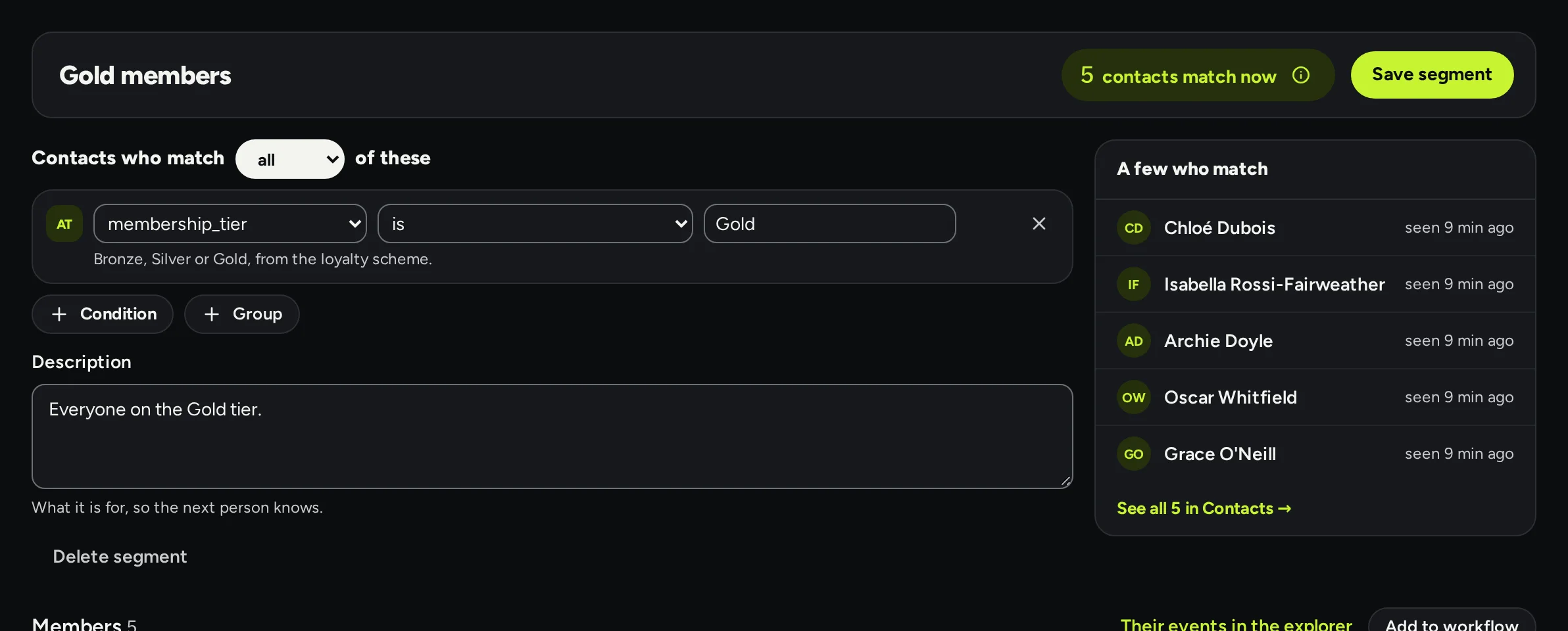
The Gold members segment: membership tier is Gold, five contacts match now, and a few of them listed on the right.

Automate

Workflows that follow people up, and the help bot in the messenger.

Workflows that follow people up

A workflow starts when someone does something, waits, checks, and sends, over hours or days, in each person's own time zone.

  • Templates for welcomes, onboarding tips, unfinished checkouts, feedback and win-back
  • A help bot that greets, suggests articles and hands over to your team
  • Try it on one contact without sending anything, then follow every run step by step
  • A webhook step to tell your own servers
Read how in the docs: Workflows that follow people up
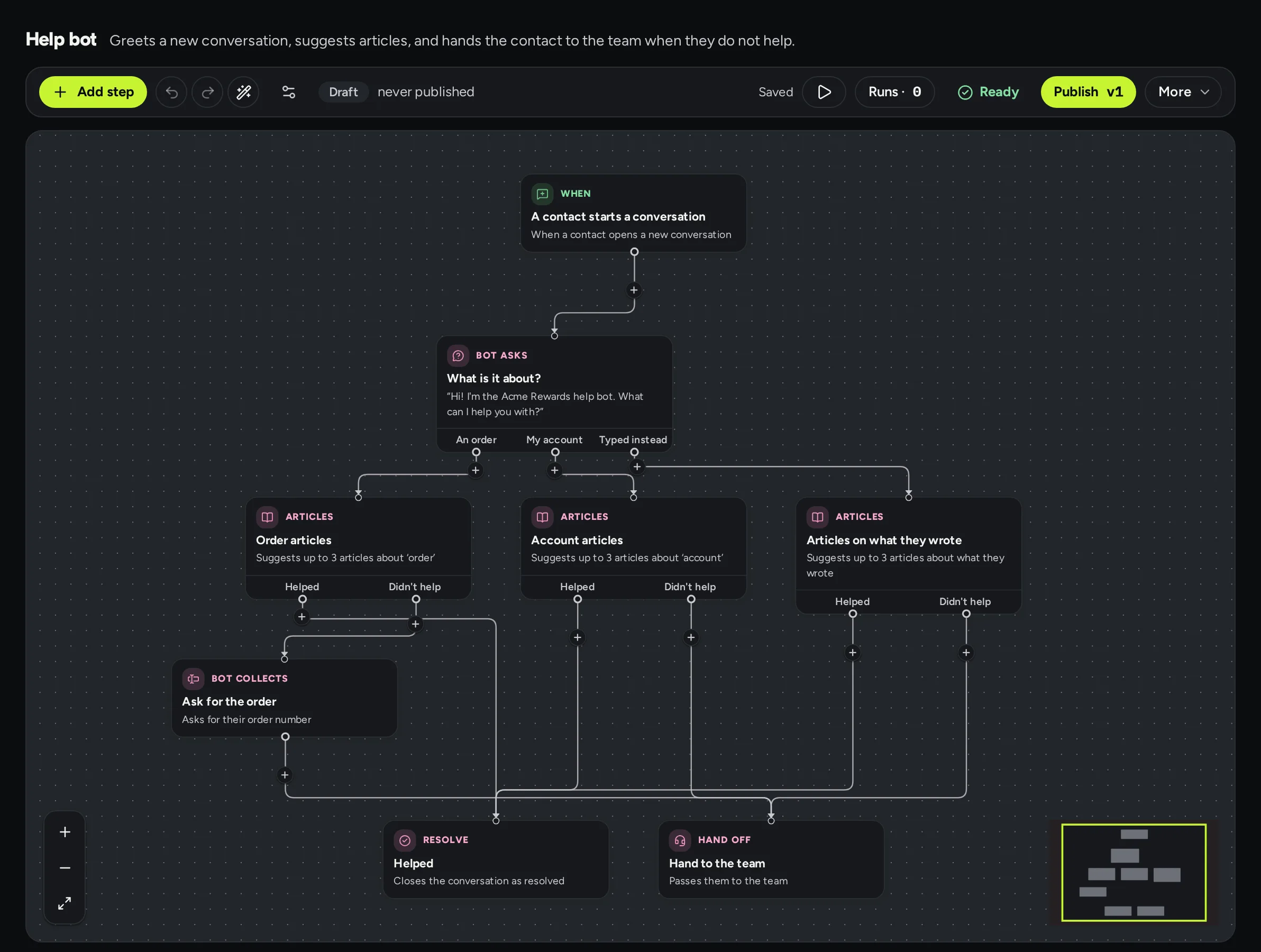
The help bot's workflow on the canvas: when a contact starts a conversation, the bot asks what it is about, suggests articles for each answer, and either closes the conversation as helped or hands it to the team.

Run

Try things safely, in every language, and see what they did.

Test mode

Every app can have a test app beside it, with its own contacts, data and keys, for your staging build to try things before anyone sees them.

  • Pushes go to your testers' phones; email only to the addresses you allow, the rest held in a test outbox
  • Testers start with their live details, so messages look real
  • Copy a message or workflow to live in one step, as a draft to check
Read how in the docs: Test mode
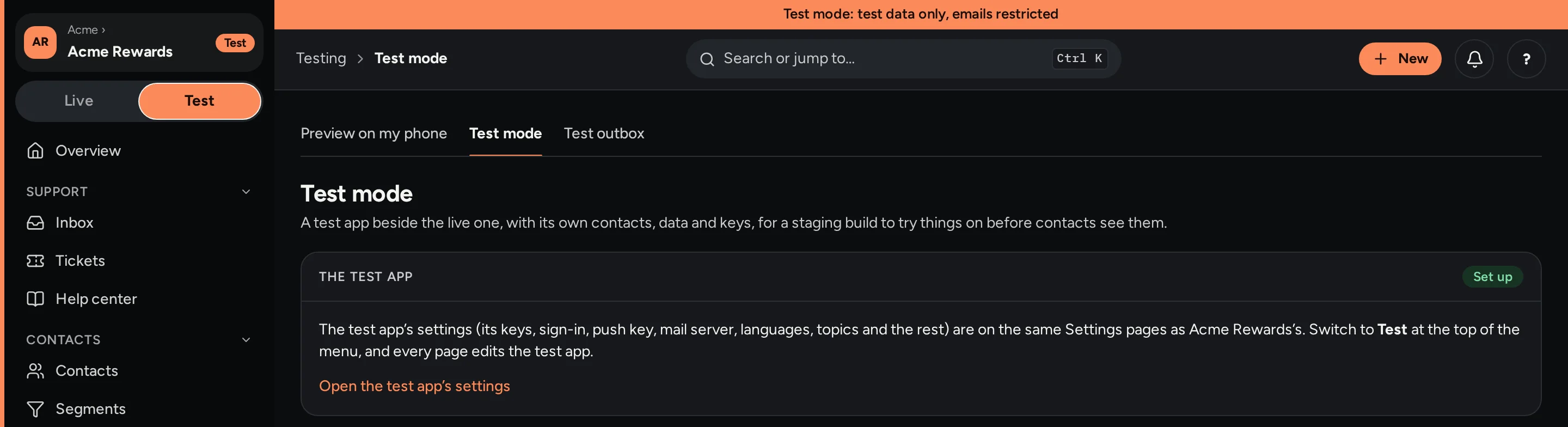
Acme Rewards switched to its test app: the frame turns orange, a strip across the top says test data only, emails restricted, and the test mode page shows the test app set up.

Every language you offer

Choose your app's languages, then translate messages and help articles beside the original.

  • Each person gets their own language, from their profile or their phone
  • pt-BR falls back to pt, and anything else to your default
  • Optionally, nothing goes live until every language is done
Read how in the docs: Every language you offer
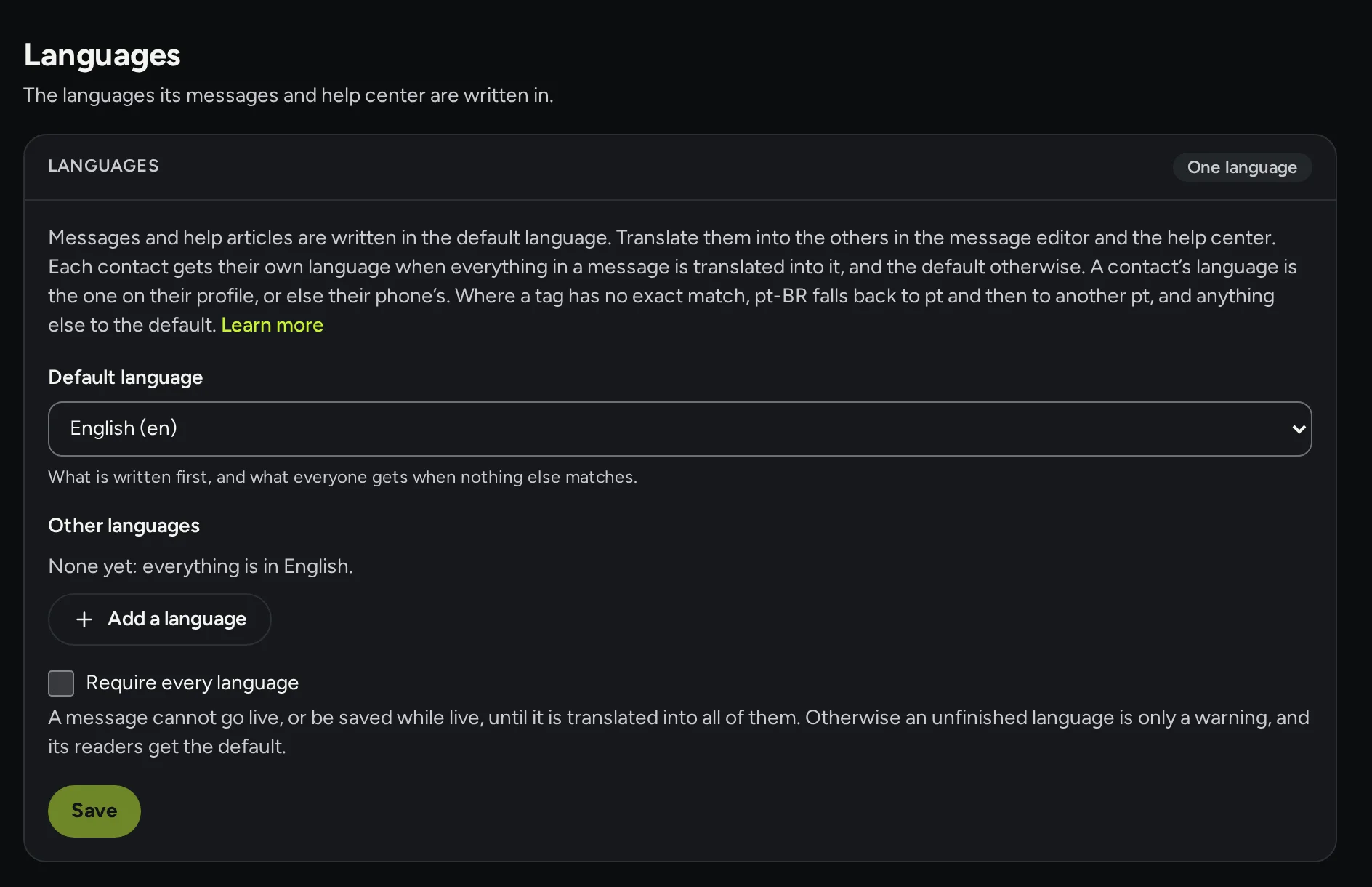
The languages settings: a default language, other languages to add, and a switch that requires every language before a message goes live.

Reports that show the real effect

See how support, help, messages and workflows are doing over the days you choose, and compare with the period before.

  • Inbox: new and closed conversations, first reply and time to close
  • Messages and email: sent, opened, clicked and goals reached, version by version
  • A holdout who get no marketing, to show what it really adds
  • Every table exports to CSV
Read how in the docs: Reports that show the real effect
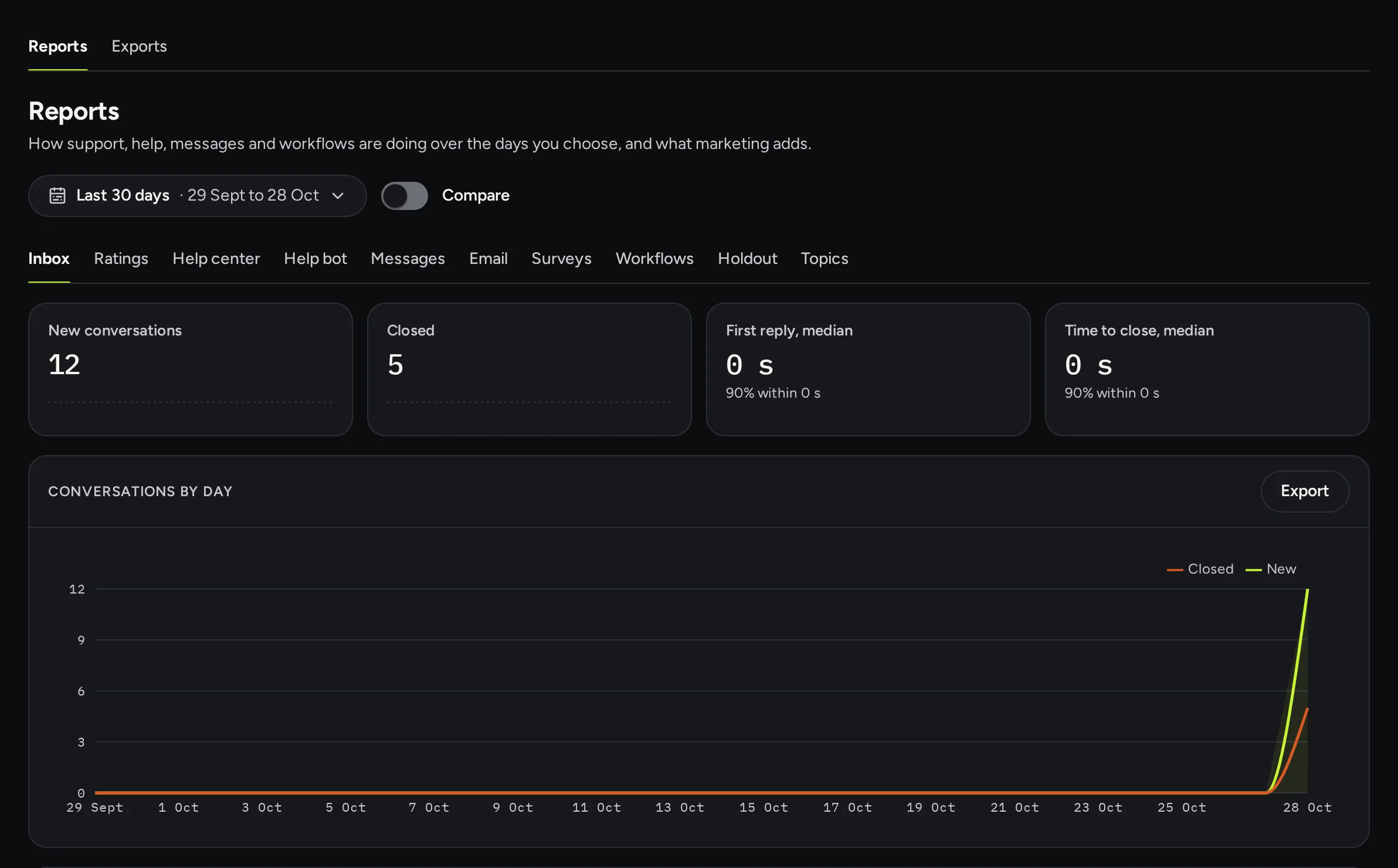
The reports page: new and closed conversations, first reply and time to close, and a chart of conversations by day.

Connect

How your app, your backend and your website plug in.

Sign your users in with one secret

Your backend signs a short token for each signed-in user with your app's identity secret. The app hands it to the SDK, and every request is from who it says.

  • A few lines in Node, Python, Go, PHP or Ruby
  • Two secrets can work at once, so you can replace one without downtime
  • Or use your own sign-in's published keys instead
Read how in the docs: Sign your users in with one secret
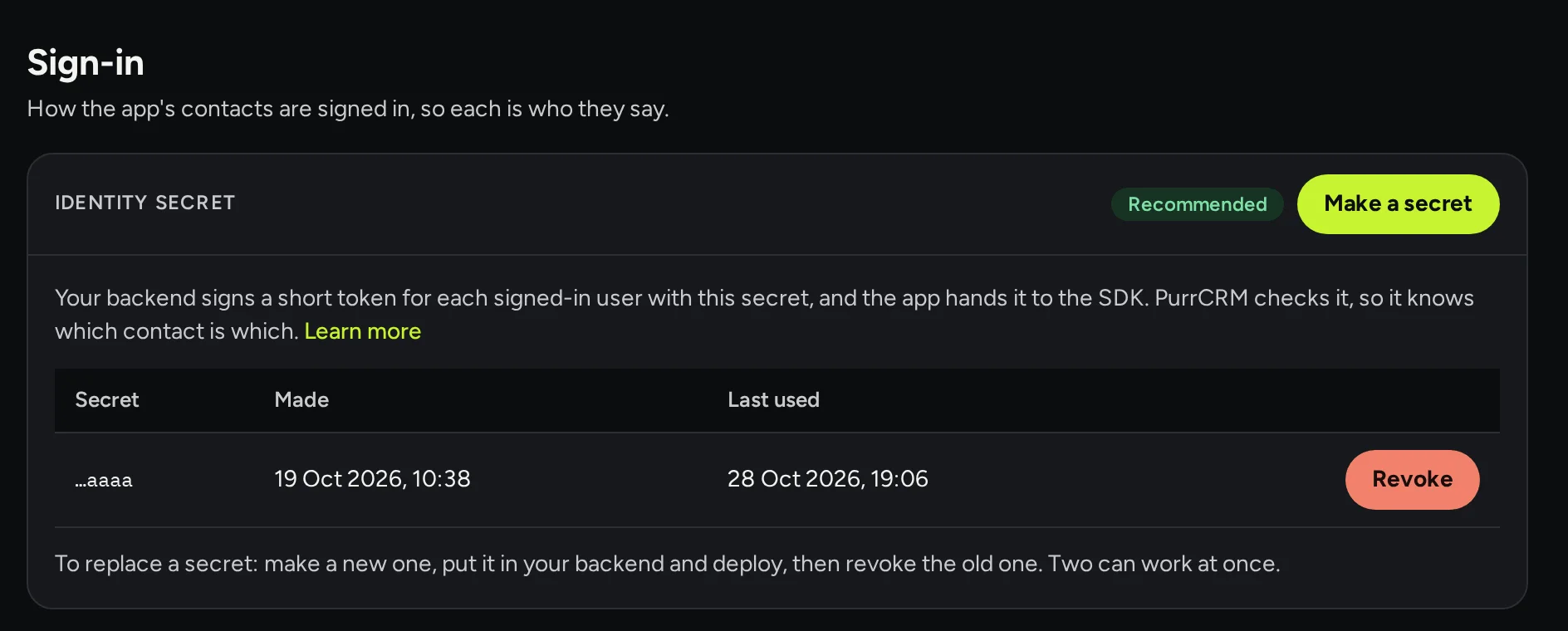
The sign-in settings: the identity secret card, with one secret, when it was made and last used, and a Revoke button.

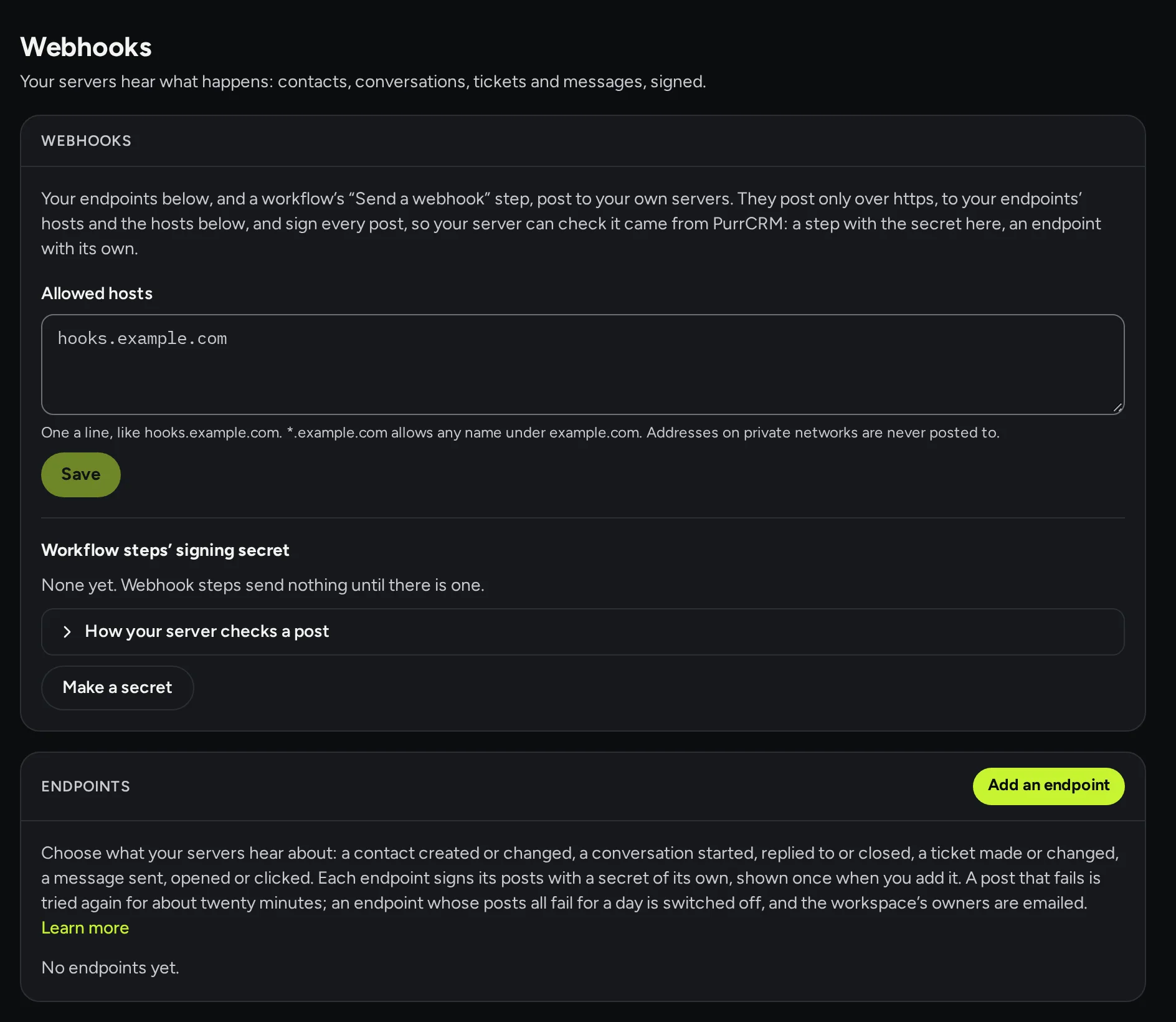
Webhooks to your servers

Your servers hear what happens: contacts made or changed, conversations, tickets, messages sent, opened or clicked.

  • Endpoints with the topics each one gets, every post signed
  • A failed post is tried again for about twenty minutes; an endpoint failing for a day is switched off and the owners emailed
  • Never posted to addresses on private networks
Read how in the docs: Webhooks to your servers
The webhooks settings: allowed hosts, a signing secret for workflow steps, and the list of endpoints.

Web apps too

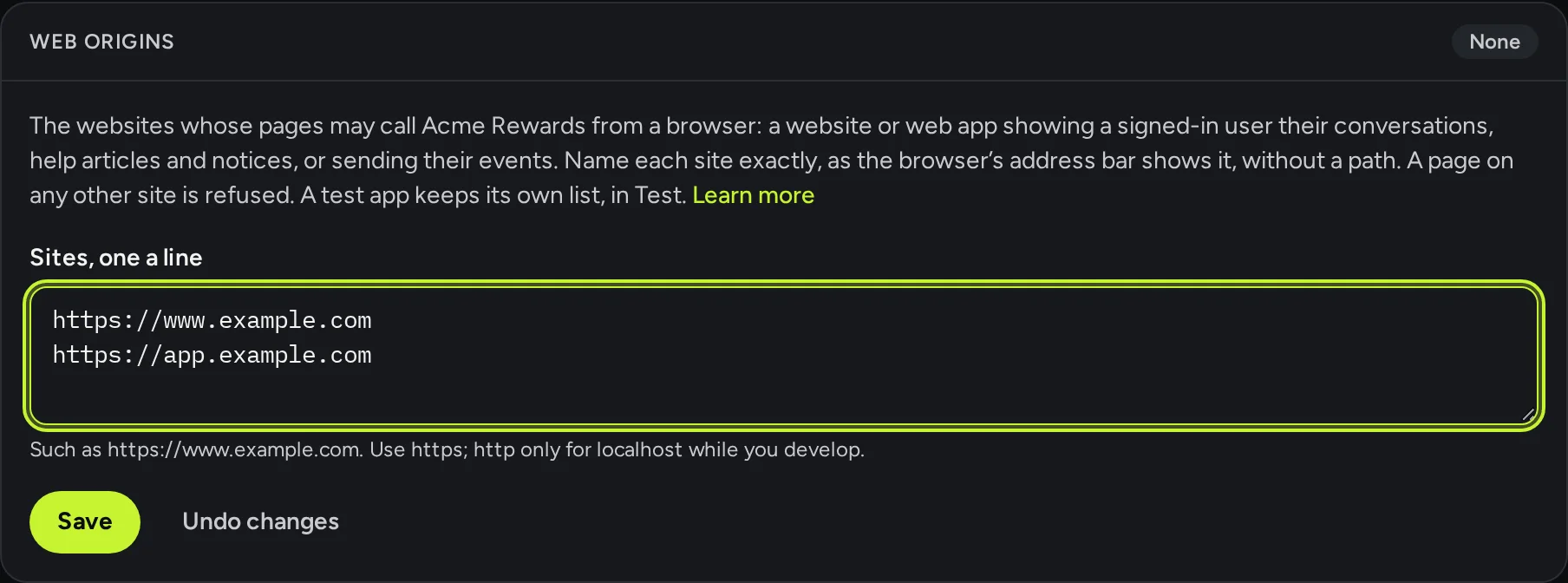
The web SDK gives a website or web app the same messenger, help center, in-app messages and events as your phone apps, from the web origins you allow.

  • List each site's exact origin, separately for live and test
  • A setup check over the page while you build, that names what is missing
  • The server API, with a server key, for Identify, events, export and erase
Read how in the docs: Web apps too
The web origins card: a list of exact website origins allowed to call the API from a browser.

Try it on your app

Make your workspace in a minute. Your developers connect the app when you're ready.

Early access for invited teams. Not invited yet? Write to us.